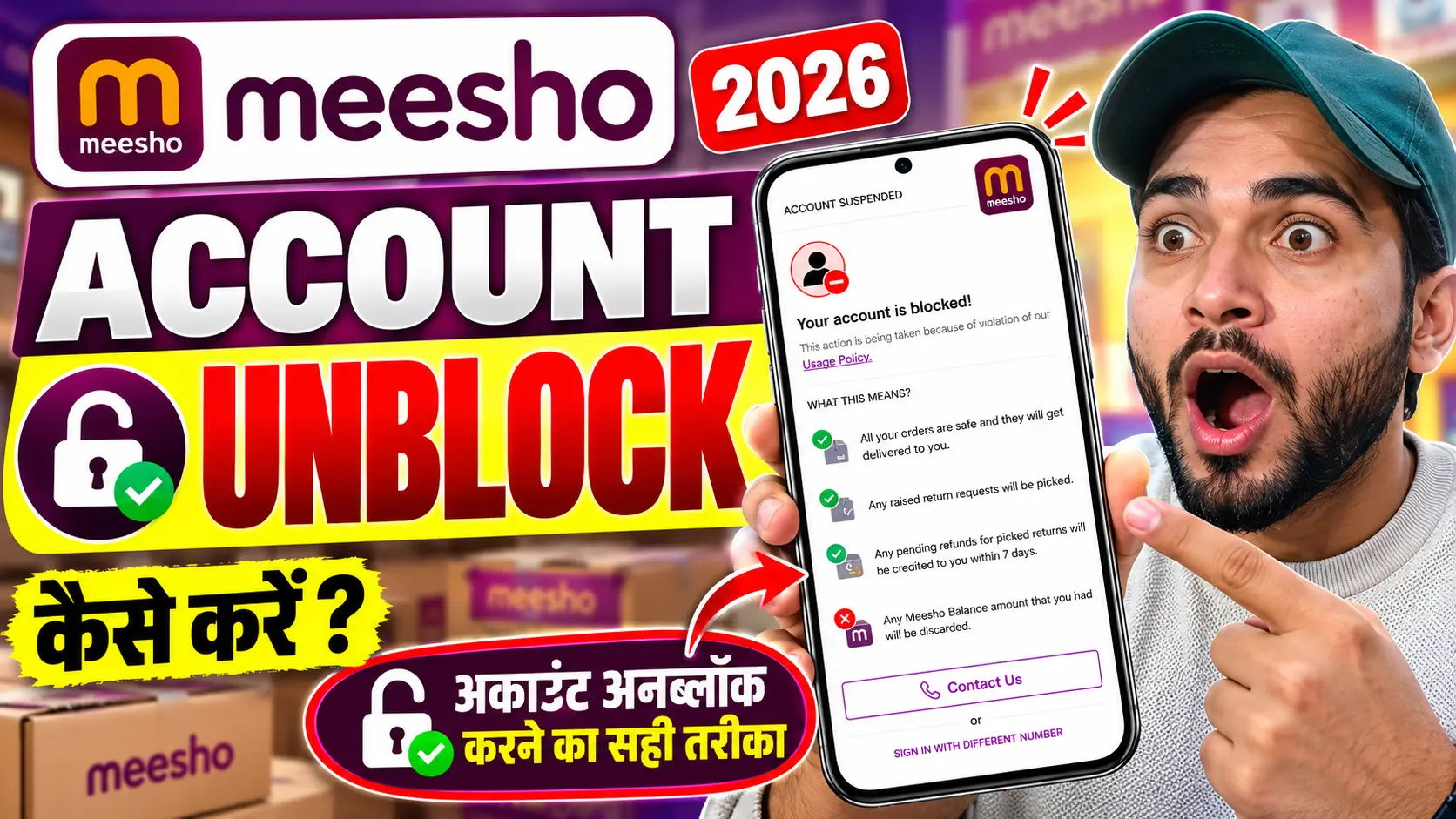
Agar aap Meesho shopping app use karte hain aur achanak aapko “User Verification Failed”, “Your Account Has Been Blocked” ya verification se related koi error dikh raha hai, toh aapka shopping experience ruk sakta hai. Aap apne favourite products, wishlist aur account history ko access nahi kar paate, aur kabhi-kabhi customer support se contact karne ke baad bhi problem solve nahi hoti.
Aajkal online shopping users ke liye account verification aur account blocking se judi problems kaafi frustrating ho sakti hain. Sabse bada sawal yahi hota hai ki Meesho account block kyun hota hai aur use unblock kaise karwaya ja sakta hai?
Is detailed guide mein hum explain karenge ki Meesho verification blocked hone ke possible reasons kya hain, account recovery ke liye kya steps follow karne chahiye, customer support se kaise contact karein aur agar complaint ka response nahi milta toh use aage kaise escalate karein.
1. Meesho Verification Blocked Ka Kya Matlab Hai?
Meesho par verification se related error aane ka matlab har baar yeh nahi hota ki aapka account permanently block kar diya gaya hai.
Problem ke nature ke hisaab se kuch alag situations ho sakti hain:
- User Verification Failed: App aapke account ko verify nahi kar pa rahi hai.
- User Account Blocked: Account par restriction lagayi gayi ho sakti hai.
- Login Problem: Aap apne registered mobile number ya account ke through login nahi kar paa rahe hain.
- Verification Pending: Verification process complete hone ka wait kar rahi ho sakti hai.
Agar aapko “User Verification Failed, Contact Us” jaisa message dikh raha hai, toh sabse pehle error ka screenshot lein aur Meesho ke official support channel se account review ki request karein.
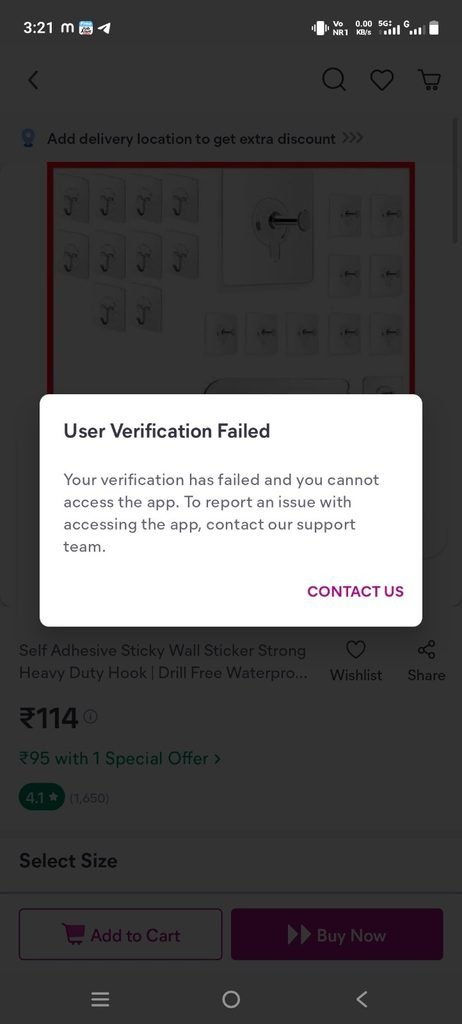
Meesho ki taraf se aapke specific account par restriction lagane ka exact reason jaane bina yeh assume nahi karna chahiye ki account kisi ek particular activity ki wajah se block hua hai.
2. Meesho Account Block Hone Ke Possible Reasons
Meesho apni Privacy Policy mein batata hai ki woh fraud aur abuse ko prevent karne, suspicious activity identify karne aur platform ki security protect karne ke liye information ka use kar sakta hai. https://www.meesho.com/legal/privacy
Lekin iska matlab yeh nahi hai ki neeche diye gaye har reason par Meesho automatically account block karta hai. Yeh possible explanations hain, jinhe aapko apne account ke actual error aur support team ke response ke saath samajhna chahiye.
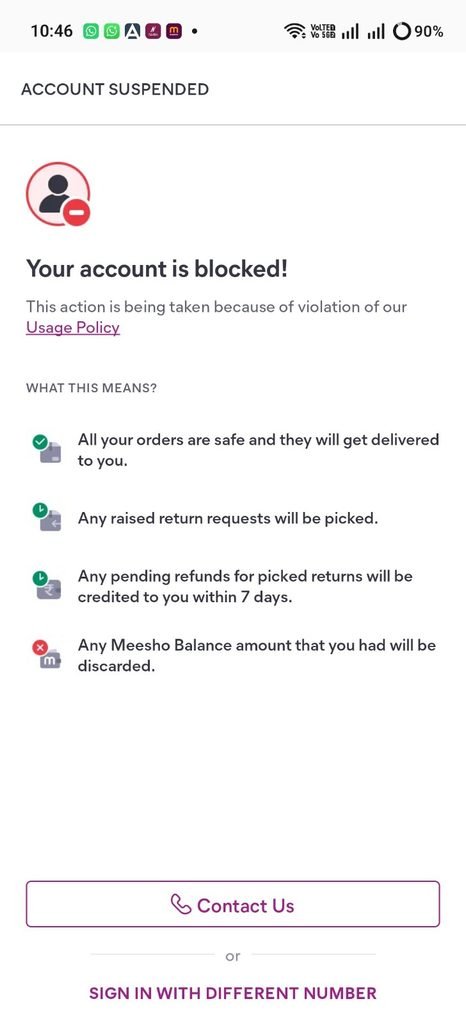
A. Account Verification Fail Hona
Agar Meesho ka system aapke account ko verify nahi kar paa raha hai, toh login ya account access mein problem aa sakti hai. Aise case mein support team se verification failure ka exact reason poochhna chahiye.
B. Suspicious Activity Detect Hona
Online shopping platforms security ke liye unusual activity aur potential fraud ko review kar sakte hain. Agar system kisi activity ko suspicious samajhta hai, toh additional verification ya restriction ki possibility ho sakti hai.
C. Multiple Accounts Ya Account Details Se Related Issues
Ek hi user se associated multiple accounts, inconsistent information ya account details mein discrepancies kuch situations mein review ka reason ban sakti hain. Lekin sirf multiple accounts hone se Meesho account zaroor block hota hai, aisa confirmed rule yahan establish nahi hai.
D. Orders, Returns Ya Refunds Se Related Review
Agar aapke account par orders, cancellations, returns ya refunds ko lekar koi unusual pattern hai, toh aap support team se pooch sakte hain ki kya restriction ka isse koi sambandh hai.
Important: Baar-baar returns karna ya order cancel karna hi account block hone ka reason hai, aisa bina official confirmation ke kehna galat hoga.
E. Technical Error Ya Verification System Ki Problem
Kabhi login ya verification issue technical glitch, app update, network problem ya temporary system error ki wajah se bhi ho sakta hai.
Isliye account permanently block hua hai, yeh maan lene se pehle exact message aur support team ka response check karein.
3. Meesho Account Unblock Karwane Ka Step-by-Step Tarika
Agar aapka Meesho account block ho gaya hai, toh yeh process follow karein.
Step 1: Error Message Ka Screenshot Lein
Jab bhi app par “User Verification Failed” ya “Account Blocked” ka message aaye, uska screenshot save kar lein. Complaint karte waqt yeh evidence useful ho sakta hai.
Step 2: Meesho App Ke Help Centre Mein Jayein
Agar app access ho rahi hai, toh apne account ke Help ya Customer Support section ko open karein. Wahan account access ya login se related available option select karein.
Agar app mein login hi nahi ho raha, toh official Google Play listing ya Meesho ki official website par diye gaye support details check karein.
Step 3: Account Review Ki Request Karein
Support team ko clearly batayein ki aapka account blocked hai aur verification fail ho rahi hai. Unse yeh bhi poochhein ki restriction ka reason kya hai aur account restore karne ke liye aapko kya karna hoga.
Step 4: Complaint Number Ya Ticket ID Save Karein
Agar aapko complaint reference number milta hai, toh use save karke rakhein. Future follow-up mein isi reference ka use karein.
Step 5: Response Na Mile Toh Follow-Up Karein
Agar reasonable time tak response nahi aata, toh apni previous complaint ka reference dete hue follow-up email bhejein. Agar issue resolve nahi hota, toh grievance channel par complaint escalate karein.
4. Meesho Customer Support Email ID Kya Hai?
Meesho ke official support details verify karne ke liye sabse pehle uski official app listing aur website check karni chahiye.
- Customer support email:
query@meesho.com - Grievance email:
legalsupport@meesho.com
Customer support email Meesho ki Google Play app listing par diya gaya hai. Grievance email Meesho ki official Privacy Policy mein listed hai. https://play.google.com/store/apps/details?id=com.meesho.supply https://www.meesho.com/legal/privacy
Pehle regular customer support par account review ki request bhejein. Agar complaint resolve nahi hoti, toh grievance email par previous complaint ka reference dete hue escalation karein.
5. Meesho Account Unblock Karwane Ke Liye Email Format
Agar aapka account block ho gaya hai, toh neeche diya gaya email format copy karke apni details ke according use kar sakte hain.
To: query@meesho.com
Subject: Request to Unblock My Meesho Account – User Verification Failed
Dear Meesho Support Team,
I am writing to request your assistance regarding my Meesho shopping account, which appears to have been blocked. Whenever I try to access my account, I receive a verification-related error, and I am unable to use my account normally.
I am not aware of the exact reason for this restriction. I request you to kindly review my account and explain why the verification process is failing.
My account details are provided below:
- Registered Name: [Your Name]
- Registered Mobile Number: [Your Registered Number]
- Registered Email Address: [If Applicable]
- Error Message: [Exact Message Displayed]
- Date the Problem Started: [Date]
I request you to kindly investigate this issue and let me know if any additional verification or information is required from my side.
If the restriction has been applied by mistake, please review my case and help restore access to my account.
I have attached a screenshot of the error message for your reference.
Please provide an update regarding my complaint and guide me through the account recovery process.
Thank you for your time and assistance.
Regards,
[Your Name]
Email bhejne se pehle: Apni actual details fill karein aur error message ka screenshot attach karein. Password, OTP, UPI PIN, CVV ya kisi bhi payment method ki confidential information share na karein.
6. Meesho Support Reply Nahi Kar Raha? Yeh Follow-Up Email Bhejein
Agar aap pehle hi email bhej chuke hain aur aapko response nahi mila, toh ek follow-up email bhej sakte hain.
To: query@meesho.com
Subject: Follow-up on Blocked Meesho Account – Request for Resolution
Dear Meesho Support Team,
I am following up on my previous complaint regarding my blocked Meesho account and the user verification issue.
I am still unable to access my account and have not yet received a satisfactory resolution.
I request you to kindly review my complaint and provide an update regarding the reason for the restriction and the steps required to restore my account.
Previous Complaint Reference: [Ticket ID, If Available]
Please let me know if any additional information is required from my side.
I look forward to your response and a fair resolution of this issue.
Regards,
[Your Name]
7. Meesho Grievance Officer Ko Complaint Kaise Karein?
Agar aapne regular customer support se contact kiya hai, lekin aapka account-related issue resolve nahi hua, toh aap Meesho ke grievance channel par complaint escalate kar sakte hain.
Grievance email: legalsupport@meesho.com
Subject: Escalation of Complaint Regarding Blocked Meesho Account
Email mein yeh information include karein:
- Aapka registered mobile number ya account identify karne ke liye zaroori details.
- Account block hone ka exact error message.
- Pehle customer support ko bheji gayi complaint ki date.
- Available complaint reference number.
- Aapki requested resolution — restriction ka reason bataya jaye aur account review kiya jaye.
Meesho ki official Privacy Policy mein grievance contact details publish ki gayi hain. https://www.meesho.com/legal/privacy
Grievance email par complaint bhejne ka matlab yeh nahi hai ki account automatically unblock ho jayega. Lekin isse aap apne unresolved issue ko formal escalation ke through raise kar sakte hain.
8. Meesho Customer Care Number Kya Hai?
Meesho ki Google Play app listing par customer support ke liye yeh phone number listed hai:
Phone: +91 8061799600
Source: https://play.google.com/store/apps/details?id=com.meesho.supply
Contact details change ho sakti hain, isliye call karne se pehle latest official listing ya Meesho app ke Help Centre mein number verify kar lein.
Kisi bhi unknown number par call karke apna OTP, password, UPI PIN ya CVV share na karein. Account unblock karwane ke naam par kisi ko paise bhi na bhejein.
9. Account Block Hone Ke Baad Kya Naya Account Bana Lena Chahiye?
Bina restriction ka reason jaane naya account banana zaroori nahi ki problem solve kar de. Agar issue account verification ya security review se related hai, toh naya account banane se original problem resolve hone ki guarantee nahi hai.
Isliye pehle apne existing account ka review karwayein aur support team se written clarification maangein.
Agar aapke account mein koi refund pending hai, Meesho balance mein amount hai ya koi order-related issue hai, toh complaint mein uska bhi clear mention karein. Relevant transaction details aur screenshots save karke rakhein.
10. Meesho Verification Blocked Problem Kitne Din Mein Solve Hoti Hai?
Is problem ke liye koi universal, verified resolution time confirm nahi hai.
Kuch cases mein issue technical ho sakta hai, jabki doosre cases mein account review ya additional verification ki zaroorat ho sakti hai. Isliye 24 hours, 48 hours ya 7 days mein account zaroor unblock ho jayega, aisa claim karna sahi nahi hoga.
Support team se complaint ka status aur expected resolution time poochhein. Agar aapko koi specific timeline di jaati hai, toh uske according follow-up karein.
Conclusion: Meesho Account Block Ho Gaya Hai Toh Kya Karein?
Meesho Verification Blocked, User Verification Failed ya User Account Blocked ki problem aane par sabse pehle error message ka screenshot lein aur official Help Centre ke through complaint register karein.
Agar problem resolve nahi hoti, toh query@meesho.com par complaint bhejein aur zaroorat padne par legalsupport@meesho.com par escalate karein.
Complaint mein account block hone ka exact message, registered details aur previous support reference include karein. Meesho se restriction ka reason aur account restore karne ke liye required steps clearly poochhein.
Yaad rakhein, account block hone ka exact reason Meesho ki review ke bina confirm nahi kiya ja sakta. Har case mein same reason ya same solution apply nahi hota.
Agar aap bhi Meesho User Verification Failed ya Account Blocked ki problem face kar rahe hain, toh is guide mein diye gaye steps follow karke apni complaint properly raise kar sakte hain.